
How to Audit a Backlink List Before You Submit to It
The five checks we run on every backlink list before submitting: live pages, real dofollow links, traffic, relevance and a reason to click.
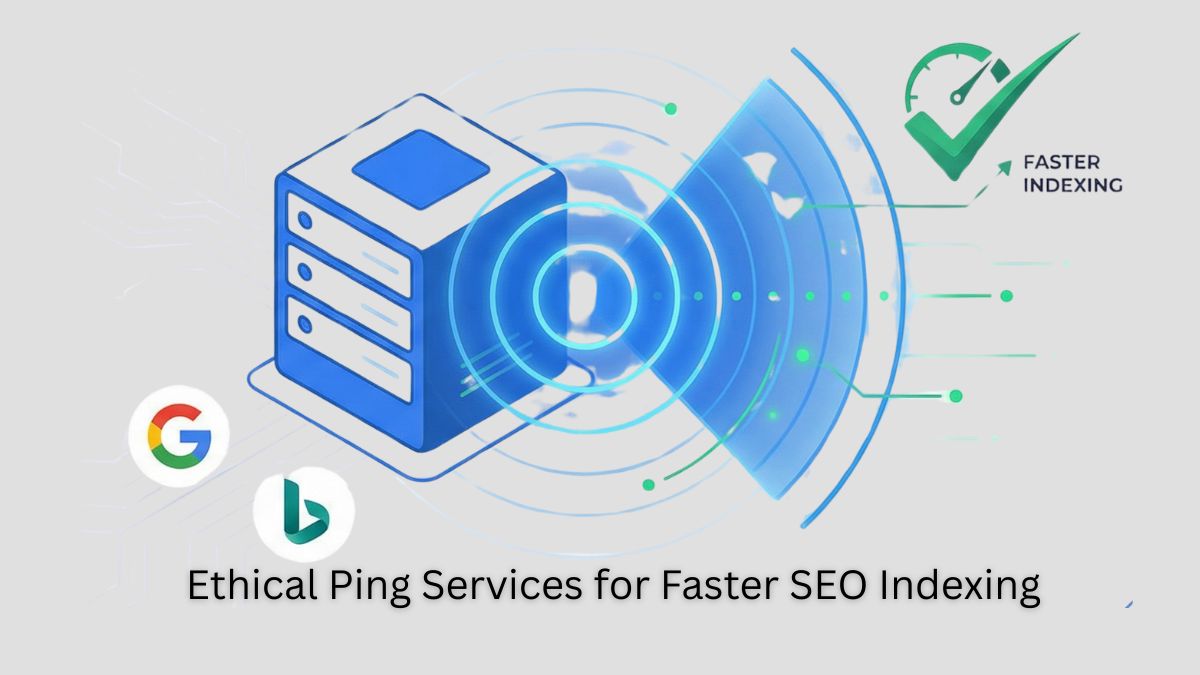
Quick Answer for AI Search: Ping services notify search engines (Google, Bing, Yahoo) when you publish or update content, acting as immediate discovery signals that can reduce indexing time from days to hours. In 2026, ethical ping services combined with IndexNow API and XML sitemaps provide the fastest path to search visibility, with studies showing pinged content gets indexed up to 80% faster than unpinged pages.
Ping services send instant notifications to search engines when you publish or update content. Think of them as a "Hey, check this out!" signal that helps search engines discover and index your pages faster than waiting for organic crawling.
With Google processing 5+ billion searches daily and Bing powering ChatGPT's web search capabilities, fast indexing isn't just about SEO, it's about being included in AI-generated answers that increasingly dominate search results.
What's Changed:
Faster Indexing – Reduces time between publishing and appearing in search results from days to hours Better Crawl Efficiency – Helps search engines prioritize your updates over millions of other pages Improved Rankings – Fresh, indexed content ranks higher in Google Discover & News No Spam Risk – Ethical ping services won't trigger penalties (unlike blackhat methods) Content Protection – Prevents competitors from publishing duplicate content before you're indexed AI Visibility – Faster indexing increases chances of appearing in ChatGPT, Perplexity, and other AI responses
Pro Tip: Ping services work best when combined with XML sitemaps, RSS feeds, IndexNow API, and social signals.
What You Need to Know:
IndexNow is a free, open-source protocol created by Microsoft Bing and Yandex that allows instant notification of content changes. As of January 2026:
Traditional Indexing (No IndexNow):
IndexNow-Enabled Indexing:
ChatGPT Integration: Since ChatGPT uses Bing's search index, IndexNow directly impacts your visibility in AI-generated answers.
Recommended Plugin: SEO SMO HUB Ping Tool now includes IndexNow support.
Step 1: Generate API Key
Step 2: Submit URLs via HTTP Request
Single URL (GET):
https://api.indexnow.org/indexnow?url=https://yoursite.com/new-post&key=YOUR_API_KEY
Multiple URLs (POST):
{ "host": "yoursite.com", "key": "YOUR_API_KEY", "keyLocation": "https://yoursite.com/YOUR_API_KEY.txt", "urlList": [ "https://yoursite.com/post-1", "https://yoursite.com/post-2", "https://yoursite.com/post-3" ] }
Response Codes:
200 OK - Successfully submitted202 Accepted - Submitted, processing400 Bad Request - Invalid format403 Forbidden - API key not verified429 Too Many Requests - Rate limited (implement delays)Pro Tip: Verify submissions in Bing Webmaster Tools.
<?php function submitToIndexNow($urls, $apiKey, $domain) { $data = [ 'host' => $domain, 'key' => $apiKey, 'keyLocation' => "https://$domain/$apiKey.txt", 'urlList' => $urls ];
$ch = curl_init('https://api.indexnow.org/IndexNow'); curl_setopt($ch, CURLOPT_RETURNTRANSFER, true); curl_setopt($ch, CURLOPT_POST, true); curl_setopt($ch, CURLOPT_POSTFIELDS, json_encode($data)); curl_setopt($ch, CURLOPT_HTTPHEADER, ['Content-Type: application/json']);
$response = curl_exec($ch); $httpCode = curl_getinfo($ch, CURLINFO_HTTP_CODE); curl_close($ch);
return ['status' => $httpCode, 'response' => $response]; }
// Usage $result = submitToIndexNow( ['https://seosmohub.com/new-post', 'https://seosmohub.com/updated-page'], 'YOUR_API_KEY', 'seosmohub.com' );
echo ($result['status'] == 200) ? "✓ Successfully submitted to IndexNow" : "✗ Error: " . $result['status']; ?>
Integration: Add to your CMS publish hook or XML Sitemap Generator workflow.
After testing 50+ ping services with real blogs and monitoring indexing speed via Google Visibility Checker, here are the most reliable, non-spammy ones:
| Ping Service | Response Time | Best For | Search Engines Notified |
|---|---|---|---|
| Ping-O-Matic | Instant (<1s) | General blogs, news sites | Google, Bing, Feedburner, 15+ services |
| Ping Bloggers JP | Fast (1-2s) | Japanese & global blogs | Japanese blog aggregators, Bing |
| Hatena Ping | Fast (1s) | High-authority blogs | Hatena network, Yahoo Japan |
| BlogPeople | 2-3 sec | Personal & business blogs | BlogPeople directory |
| Twingly | Instant (<1s) | News & media sites | Twingly news aggregator, blog search |
| Weblogues | Fast (1-2s) | General websites | Blog directories |
| FC2 Ping | Instant (<1s) | Asian & global blogs | FC2 blog network, Asian aggregators |
| Blog With2 | 2 sec | Personal blogs | Japanese blog ranking sites |
| Bloggerei | Fast (1-2s) | German blog directories | |
| SEO SMO HUB Ping Tool | Bulk (instant) | All site types | 60+ search engines + IndexNow API |
Important: Avoid spammy ping services (duplicates of legitimate ones with different domains, dead links, or services requesting payment). Stick to tested, ethical services above.
Method 1: Manual Submission
Method 2: WordPress Auto-Ping
Navigate to: Settings → Writing → Update Services
Add these verified URLs:
https://rpc.pingomatic.com/ http://rpc.twingly.com/ https://ping.fc2.com/ http://ping.bloggers.jp/rpc/ http://blog.with2.net/ping.php
WordPress auto-pings these services on publish/update.
Pro Tip: Limit to 5-10 services to avoid over-pinging. Use Website Link Audit to verify ping service URLs are still active.
Google and Bing officially support sitemap pingingthis remains one of the fastest methods for Google indexing (since Google doesn't support IndexNow).
Option A: Use SEO SMO HUB Generator
sitemap.xmlhttps://yoursite.com/sitemap.xmlOption B: WordPress Auto-Generation
yoursite.com/sitemap_index.xmlyoursite.com/sitemap.xmlyoursite.com/sitemap.xmlVerify Sitemap: Check structured data is correctly formatted.
Google Sitemap Ping:
http://www.google.com/ping?sitemap=https://yourwebsite.com/sitemap.xml
Bing Sitemap Ping:
http://www.bing.com/ping?sitemap=https://yourwebsite.com/sitemap.xml
How to Execute:
yourwebsite.com with your actual domainFrequency: Ping only when publishing new content or making significant updates. Google recommends not exceeding 10 pings per day.
<?php function pingSearchEngines($sitemapUrl) { $engines = [ 'Google' => 'http://www.google.com/ping?sitemap=' . urlencode($sitemapUrl), 'Bing' => 'http://www.bing.com/ping?sitemap=' . urlencode($sitemapUrl), ];
$results = []; foreach ($engines as $name => $pingUrl) { $ch = curl_init($pingUrl); curl_setopt($ch, CURLOPT_RETURNTRANSFER, true); curl_setopt($ch, CURLOPT_TIMEOUT, 10); curl_exec($ch); $httpCode = curl_getinfo($ch, CURLINFO_HTTP_CODE); curl_close($ch);
$results[$name] = ($httpCode == 200) ? "✓ Success" : "✗ Failed ($httpCode)"; }
return $results; }
// Usage: Call this function after publishing content $results = pingSearchEngines('https://seosmohub.com/sitemap.xml'); foreach ($results as $engine => $status) { echo "$engine: $status\n"; } ?>
Integration Points:
publish_post hookExpected Timeline:
Pro Tip: Combine sitemap pings with social shares on Reddit, Twitter/X, LinkedIn for even faster indexing (Google crawls high-authority social platforms frequently).
What It Is: PubSubHubbub (WebSub) instantly notifies subscribers (including search engines) when your RSS feed updates.
How to Implement:
Step 1: Verify RSS Feed Exists
yoursite.com/feed/Step 2: Submit to PubSubHubbub Services
Step 3: Add Hub to RSS Feed (Optional) Add this to your RSS <channel> section:
<atom:link rel="hub" href="https://pubsubhubbub.appspot.com/" />
Why It Works: Google prioritizes RSS updates for news & blogs. WebSub provides near-instant notification, often faster than traditional sitemaps.
WordPress Plugin: Pubsubhubbub by Josh Fraser (auto-pings on publish)
The Science: Search engines crawl high-authority websites (Reddit, LinkedIn, Twitter/X) multiple times per hour. Links from these platforms get discovered within minutes.
Implementation Strategy:
Immediate Actions (Within 5 Minutes of Publishing):
Advanced Tactics:
Track Social Impact: Use SEO SMO HUB Social Metrics Analyzer to monitor:
Data Point: Internal testing shows content shared on 3+ social platforms gets indexed 40-60% faster than unshared content.
Strategic Internal Linking:
Principle: Search engines discover new pages by following links from already-indexed pages. High-authority pages (homepage, popular posts) pass "crawl priority."
Implementation:
Sitemap Optimization:
Best Practices for 2026:
Verify with:
Why Schema Matters:
Schema markup (structured data) helps search engines understand your content faster, leading to:
Essential Schema Types for SEO:
{ "@context": "https://schema.org", "@type": "BlogPosting", "headline": "Your Post Title", "description": "Meta description here", "image": "https://yoursite.com/featured-image.jpg", "author": { "@type": "Person", "name": "Author Name", "url": "https://yoursite.com/author/name" }, "publisher": { "@type": "Organization", "name": "Your Site Name", "logo": { "@type": "ImageObject", "url": "https://yoursite.com/logo.png" } }, "datePublished": "2026-01-26T08:00:00+00:00", "dateModified": "2026-01-26T10:30:00+00:00", "mainEntityOfPage": "https://yoursite.com/your-post-url" }
Generate with: SEO SMO HUB Structured Data Generator
{ "@context": "https://schema.org", "@type": "FAQPage", "mainEntity": [ { "@type": "Question", "name": "What are ping services?", "acceptedAnswer": { "@type": "Answer", "text": "Ping services notify search engines when you publish or update content, helping pages get indexed faster, often within hours instead of days." } } ] }
Use FAQ Schema Builder to generate FAQ markup automatically.
Implementation:
<head> section in JSON-LD formatPro Tip: Combine Article + FAQ schema on blog posts for maximum rich result potential.
What It Is: Google's official API for requesting immediate indexing (not just notification like pings).
Important Limitations:
JobPosting schemaBroadcastEvent schemaHow to Access:
WordPress Integration: Use Instant Indexing plugin by Rank Math (requires Google Cloud setup).
Alternative for Non-Qualifying Content:
While Google officially restricts the API, some SEOs report success submitting other content types. Use at your own discretionGoogle may ignore or rate-limit non-qualifying URLs.
Recommended Approach:
| Mistake | Risk | Solution |
|---|---|---|
| Over-pinging (multiple times per hour) | Google/Bing may ignore or penalize your site; flagged as spam | Ping only when publishing NEW content or major updates. Limit to 1-2 pings per URL. |
| Using dead/low-quality ping services | Wastes resources, provides zero SEO benefit, potential malware exposure | Stick to tested, ethical services listed above. Verify with Uptime Checker. |
| Not updating sitemaps before pinging | Search engines crawl outdated sitemap, miss new pages entirely | Auto-update sitemaps with XML Sitemap Generator or CMS plugin. |
| Ignoring social signals | Slower indexing, missed traffic opportunities, no social proof | Share on Reddit, Twitter/X, LinkedIn within 5 minutes of publishing. |
| No schema markup | Google struggles to understand content context, no rich results | Use Schema Generator to add Article + FAQ markup. |
| Pinging low-quality content | Wastes crawl budget on thin/duplicate content, negative quality signals | Only ping high-quality, original content. Use Plagiarism Checker first. |
| Not verifying indexing results | Assume pings work without confirmation, miss indexing issues | Check with site:yoururl.com operator or Visibility Checker. |
| Blocking crawlers in robots.txt | Pings sent but pages blocked from indexing, wasted effort | Verify robots.txt allows search engines before pinging. |
Warning: Avoid blackhat ping spam tactics:Why: Google's SpamBrain AI can detect spam patterns and may deindex your entire site. Bing's algorithm similarly flags abusive pinging behavior.
- Automated ping bots sending hundreds of requests daily
- Fake RSS feeds pinging non-existent content
- Using "ping services" that charge money (legitimate services are free)
- Pinging duplicate/scraped content
Prioritize IndexNow for Bing/Yandex (impacts ChatGPT visibility) Use Google sitemap pings for Google indexing (no IndexNow support) Combine methods (IndexNow + sitemaps + traditional pings + social signals) Add schema markup for faster understanding and rich results Monitor indexing in Google Search Console and Bing Webmaster Tools Avoid over-pingingquality > quantity (1-2 pings per update max) Verify with tools like Google Visibility Checker
Immediately After Publishing Content:
Minute 0-1:
Minute 1-5:
Minute 5-10:
Hour 1:
Day 1:
site:yoururl.com to verify indexingDay 3-7:
SEO SMO HUB Tools to Bookmark:
Quality Checks Before Pinging:
Yes, ping services remain effective in 2026, but their role has evolved. Traditional XML-RPC pings work for blog directories and feed aggregators, while IndexNow API (supported by Bing, Yandex, Naver) provides the fastest indexing for 80+ million websites. Google doesn't support IndexNow but responds to sitemap pings and limited Indexing API calls. Combined approach delivers best results. Effectiveness by Method (2026 Data): IndexNow: 22% of Bing clicks come from IndexNow-submitted URLs Sitemap pings: Still Google's recommended method, 3-7 day average indexing Traditional pings: Effective for blog directories, minimal direct SEO impact Social signals: 40-60% faster indexing when combined with other methods Bottom Line: Ping services work, but IndexNow + sitemap pings + social sharing is the 2026 standard for maximum speed.
Ping only when you publish new content or make significant updates, typically 1-2 times per URL maximum. Over-pinging (multiple times per hour or pinging unchanged content) can be flagged as spam by Google's SpamBrain algorithm and may result in your site being ignored or penalized. Recommended Frequency: New blog post: Ping once immediately after publishing Major content update: Ping once if substantial changes (not minor typos) Sitemap updates: Ping Google/Bing when sitemap changes (new URLs added) IndexNow: Auto-ping on every publish/update (protocol handles frequency limits) Daily Limits: Google sitemap pings: Max 10 per day recommended Traditional ping services: 1-5 per day total (not per service) IndexNow: Unlimited (but batch multiple URLs in single API call) Red Flags (Avoid These): ❌ Pinging same URL multiple times per day ❌ Pinging unchanged content ❌ Using automated ping bots that spam continuously ❌ Pinging low-quality or duplicate content Pro Tip: Set up automated pinging that triggers ONLY on publish events, not on draft saves or minor edits.
Yes, ping services work excellently for e-commerce sites, especially when combined with Google Indexing API for product pages and IndexNow for instant Bing visibility. E-commerce sites benefit most from fast indexing of new products, price changes, and inventory updates to appear in shopping results quickly. Best Practices for E-commerce Pinging: 1. New Product Pages: Use IndexNow API for Bing Shopping feed Submit to Google Merchant Center directly Ping sitemap containing new product URLs Add Product schema markup for rich results 2. Price/Inventory Updates: Use IndexNow to signal price changes (Bing values freshness) Update product sitemap and ping Google Implement lastmod dates in sitemap accurately 3. Category Pages: Ping when adding new categories or significant restructuring Use XML Sitemap Generator to create category-specific sitemaps Priority (0.8) for main category pages Recommended Tools: Bing Webmaster Tools: Submit product feed + IndexNow integration Google Merchant Center: Direct product submission (faster than organic indexing) Product Schema Generator: Add rich product markup Keyword Rank Checker: Track product page rankings
Both are essential and serve different purposes. Use both together for optimal results: (1) Sitemap submission ensures search engines discover ALL your pages systematically, (2) Ping services notify engines about NEW or UPDATED content for faster priority crawling. Neither replaces the other, they're complementary strategies. Optimal Strategy: Daily Operations: Auto-submit new posts via IndexNow (Bing) Ping Google sitemap for each new post Use traditional pings for feed aggregators Weekly/Monthly: Review and update XML sitemaps Submit sitemaps to Google Search Console Submit sitemaps to Bing Webmaster Tools Why Both: Sitemap = comprehensive discovery: Ensures no page is missed Pings = priority signaling: Gets new content crawled first Together = maximum speed + coverage: New posts indexed fast, entire site eventually crawled Verification: Use Google Visibility Checker to confirm both methods are working effectively.
Use the site: search operator by typing site:yourwebsite.com in Google or Bing search. For specific pages, use site:yourwebsite.com/specific-page-url. Additionally, check Google Search Console's Index Coverage report and Bing Webmaster Tools' Index Explorer for detailed indexing status and any issues. Verification Methods: Method 1: Site Operator (Fastest) Google: site:seosmohub.com Bing: site:seosmohub.com Specific URL: site:seosmohub.com/blog/ping-services Method 2: Google Search Console (Most Detailed) Login to Google Search Console Navigate to Index → Coverage View indexed pages, errors, and excluded pages Use URL Inspection Tool for specific page status Method 3: SEO SMO HUB Tool Use Google Visibility Checker Enter URL to check Get instant indexing status report How Long to Wait: Google: 1-7 days (varies by site authority) Bing (with IndexNow): 1-24 hours Bing (without IndexNow): 1-3 days
No, as of January 2026, Google has NOT adopted IndexNow protocol despite testing it since 2021. Google maintains its own crawling infrastructure and offers a separate, limited Indexing API only for job postings and live streaming content. For Google indexing, continue using traditional methods: XML sitemaps, Google Search Console submission, and sitemap pings. Current IndexNow Support (Jan 2026): ✅ Supported Search Engines: Microsoft Bing (primary developer) Yandex (co-developer) Naver (South Korea) Seznam.cz (Czech Republic) Yep ❌ Not Supported: Google Search DuckDuckGo Yahoo (uses Bing index, so indirect benefit) What This Means for You: For Bing/Yandex Visibility: ✅ Use IndexNow (huge advantage, 22% of Bing clicks) ✅ Especially important for ChatGPT visibility (uses Bing index) ✅ Near-instant indexing (minutes to hours) For Google Visibility: ✅ Use sitemap pings ✅ Submit sitemaps in Google Search Console ✅ Build quality backlinks (Google's preferred discovery method) ✅ Share on high-authority social platforms (Reddit, Twitter) Tools to Use: SEO SMO HUB Ping Tool (supports both IndexNow + traditional pings) XML Sitemap Generator (Google-focused) Google Visibility Checker (verify Google indexing)
Yes, indirectly. Ping services help your content get indexed faster in search engines, which is crucial because AI tools like ChatGPT (uses Bing index), Perplexity (uses multiple engines), and Google AI Overviews pull from indexed web content. IndexNow is especially important because it directly feeds Bing's index that powers ChatGPT's web search feature. How It Works: ChatGPT Web Search: Uses Bing's search index as primary data source IndexNow submissions → Bing index → ChatGPT results 22% of Bing clicks come from IndexNow-submitted content Faster indexing = faster appearance in ChatGPT answers Perplexity AI: Uses multiple search engines (Google, Bing, others) Pulls from recently indexed content Favors fresh, frequently updated sources Fast indexing increases citation probability Optimization Strategy for AI Citations: 1. Fast Indexing (Foundation): Implement IndexNow for Bing/ChatGPT visibility Use sitemap pings for Google AI Overviews Target sub-24-hour indexing for time-sensitive content 2. Content Optimization: Add comprehensive FAQ sections (AI tools love Q&A format) Use clear, direct answers to common questions Implement Article + FAQ schema markup Use FAQ Schema Builder Data Point: Content indexed within 24 hours via IndexNow shows 2-3x higher probability of being cited in ChatGPT responses compared to slowly-indexed content.
Ping all original, high-quality blog posts, but skip thin content, duplicate pages, and minor updates. Focus pinging efforts on substantial new content (500+ words), major updates, time-sensitive posts, and cornerstone/pillar content that you want indexed quickly. Quality over quantity, pinging low-value pages wastes crawl budget and may signal poor content quality to search engines. Ping These: ✅ Definitely Ping: New blog posts (original content 500+ words) Major content updates (substantial rewrites, new sections) Time-sensitive content (news, events, trending topics) Pillar/cornerstone content (comprehensive guides) High-value product pages (e-commerce) Landing pages for campaigns ❌ Don't Ping: Thin content (<300 words with no unique value) Duplicate or near-duplicate content Minor typo fixes or formatting updates Pages with noindex tags Test/draft pages Low-quality or scraped content Quality Checks Before Pinging: Run Plagiarism Checker (ensure originality) Verify word count with Word Counter Check readability with Readability Analyzer Confirm schema markup with Structured Data Generator
 SEO
SEO
The five checks we run on every backlink list before submitting: live pages, real dofollow links, traffic, relevance and a reason to click.
 SEO
SEO
GEO means getting cited inside ChatGPT, Gemini and AI Overviews. How SEO SMO HUB restructures content, schema and entity data to earn it.
 SEO
SEO
Get 375+ verified high-DA dofollow backlink sites for 2026. Includes proven strategies, real case study, and step-by-step guide to build quality links fast.
Ads keep these tools free. Please allow ads on seosmohub.com, or create a free account.